QR codes · cards · forms · pages · product passports
Codes that keep working. Results you can trust.
Create dynamic QR codes, digital business cards, forms, mobile pages and product passports in one calm app. See what every scan led to — without storing the IP addresses of the people who scan.
- Free plan, no card needed
- Data stored in the EU
- Payments by Stripe


Everything in one app
Seven products that already work together.
They share one brand kit, one leads inbox and one set of numbers — so a code, the page it opens and the form on that page tell a single story.
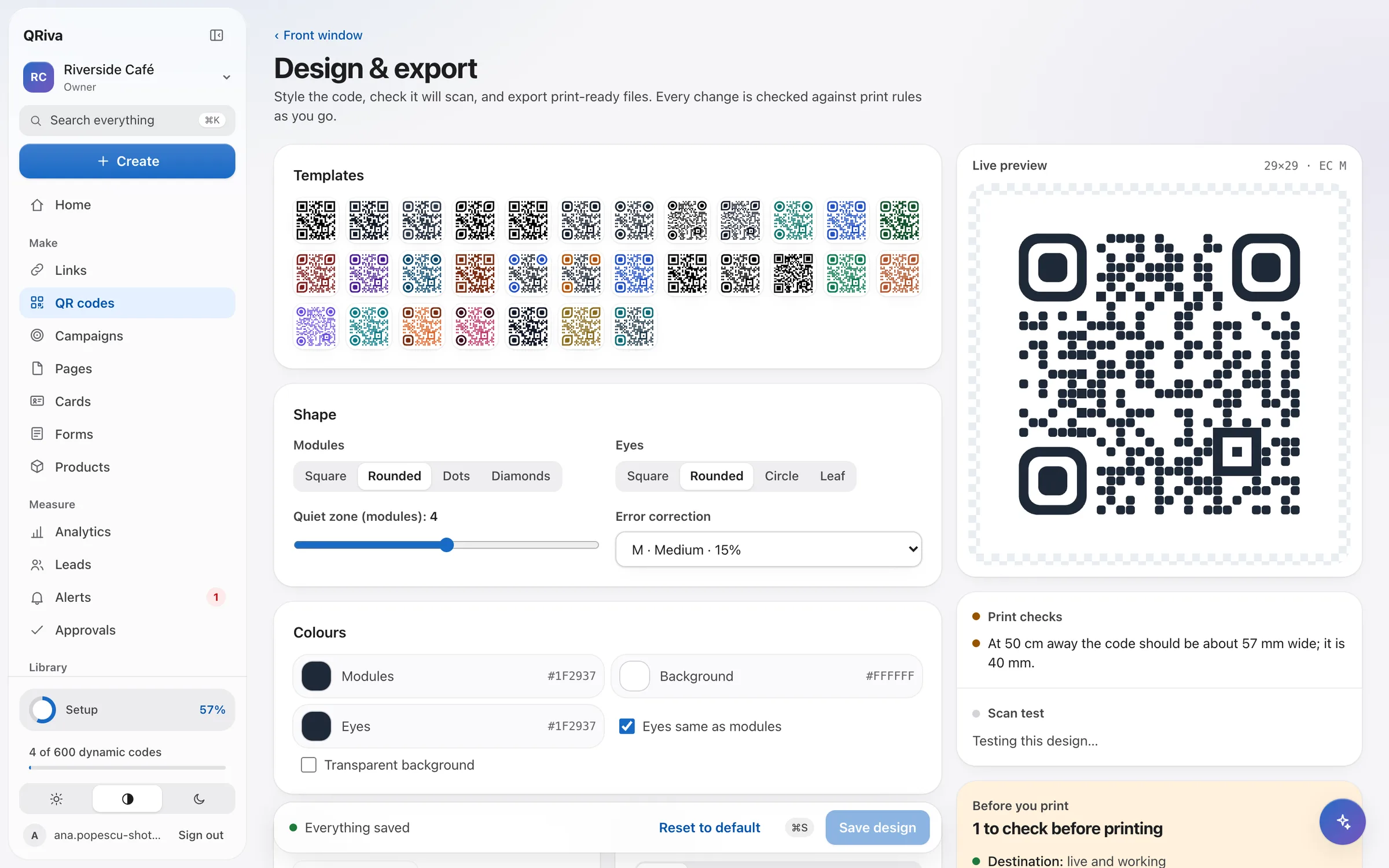
Change where a printed code goes, route by country or device, and download print files that are checked for readability.
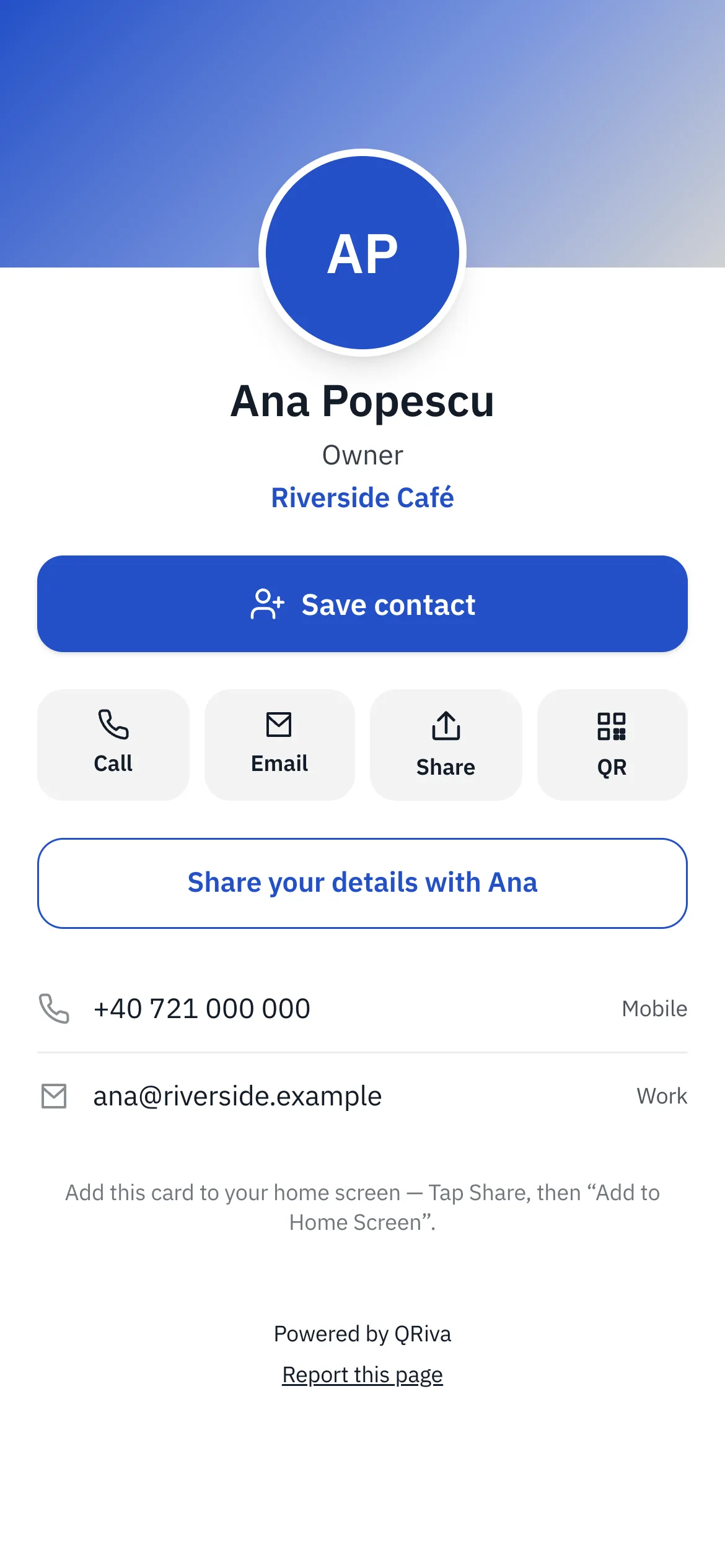
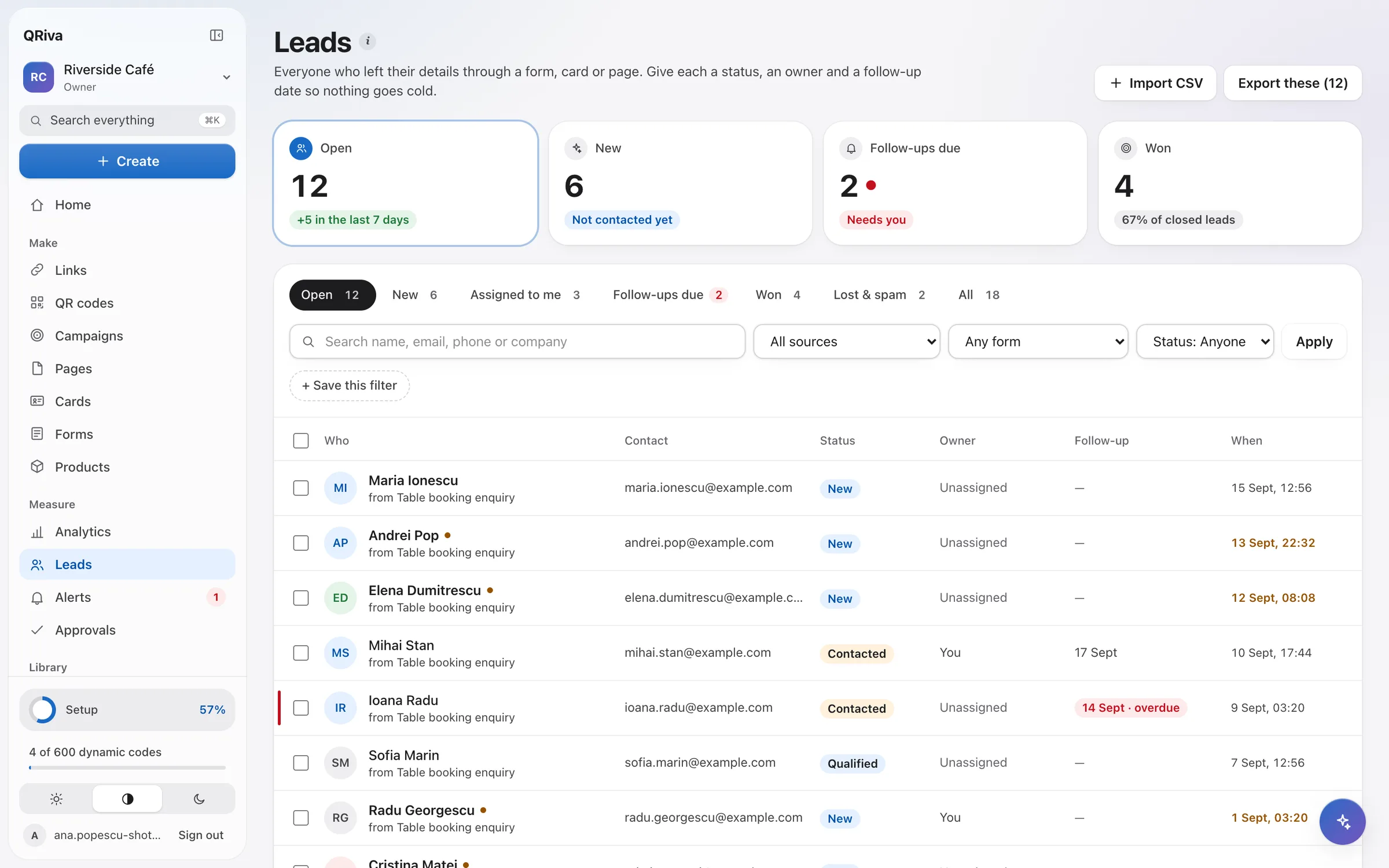
Save to contacts in one tap, share by QR, link or NFC, and collect details with consent.
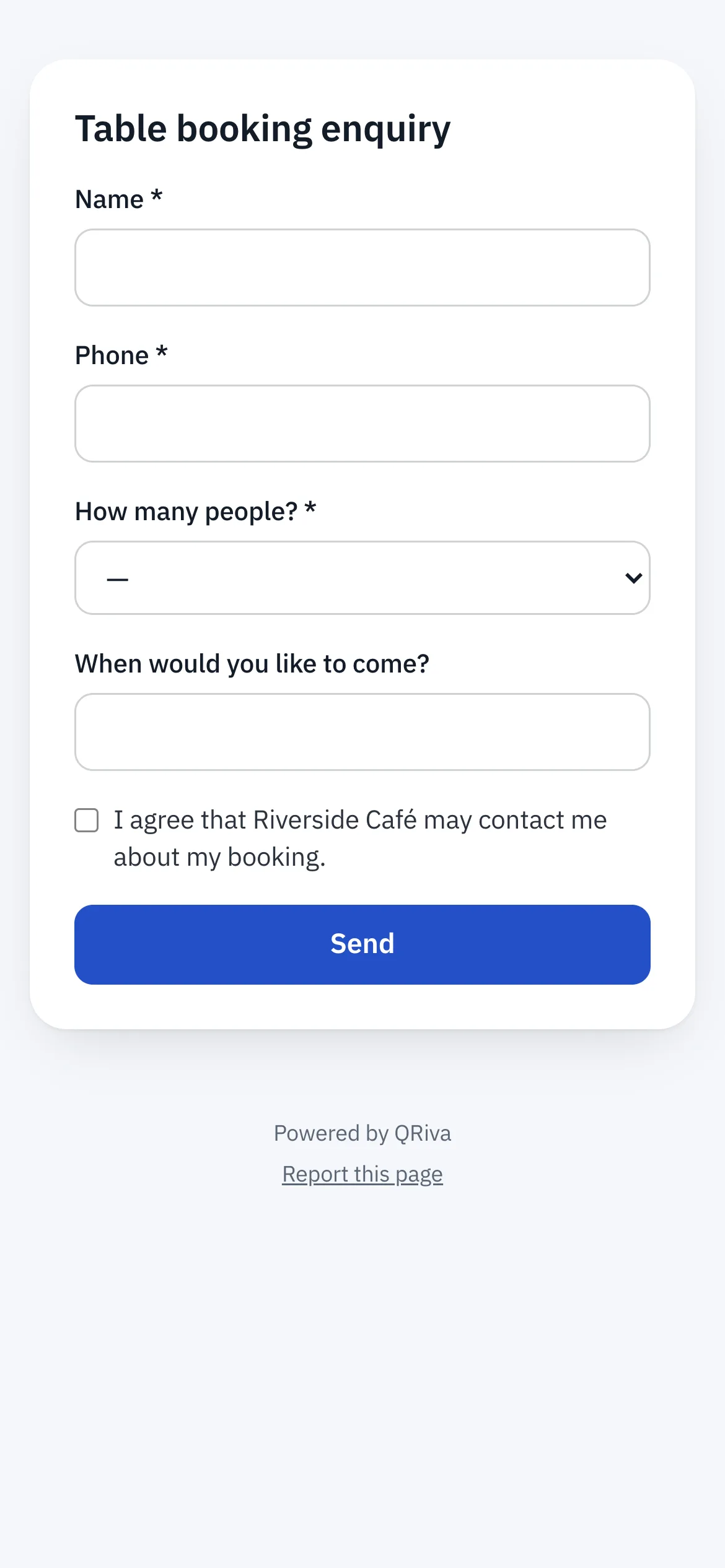
Steps, logic, uploads, signatures and bookings, in the visitor's language.
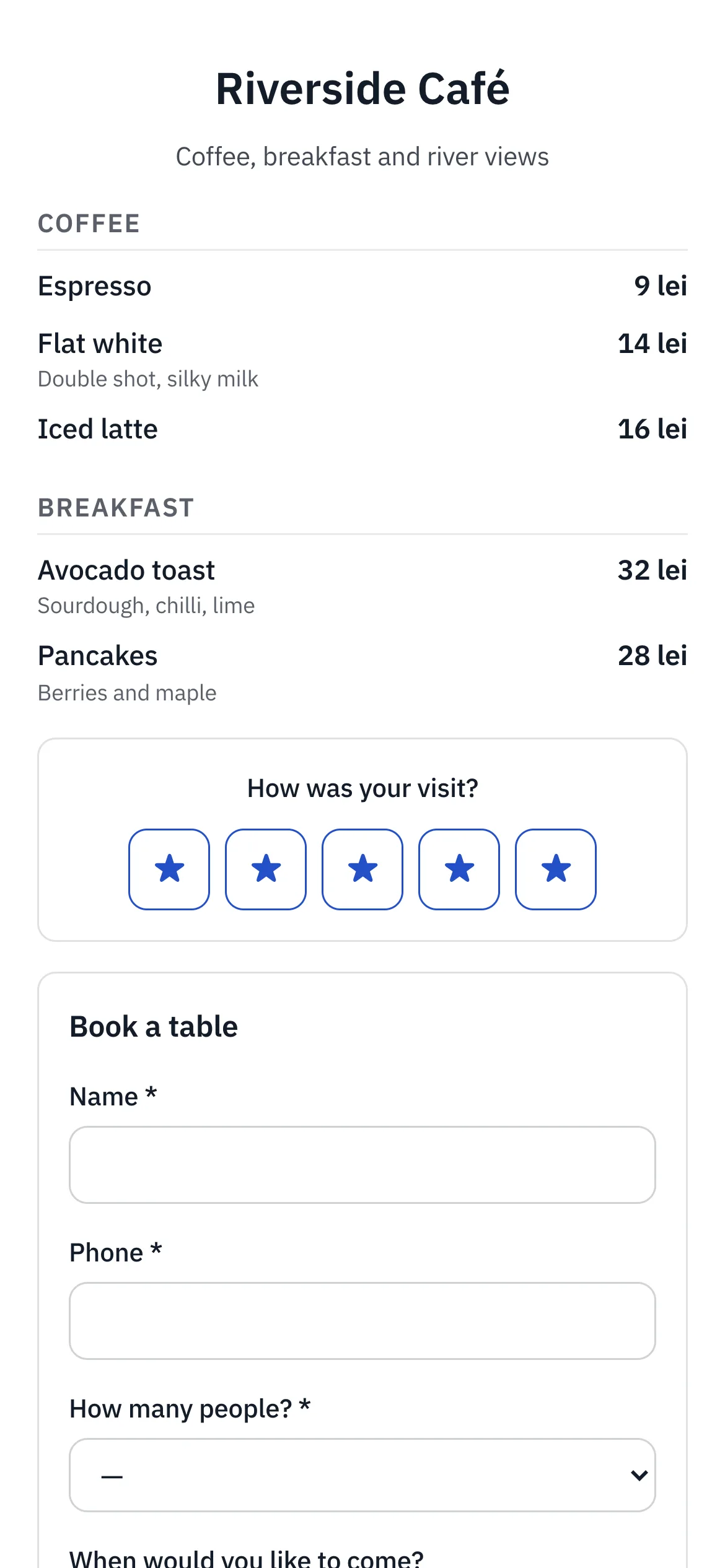
Menus, link-in-bio, events and coupons from blocks, plus short links.
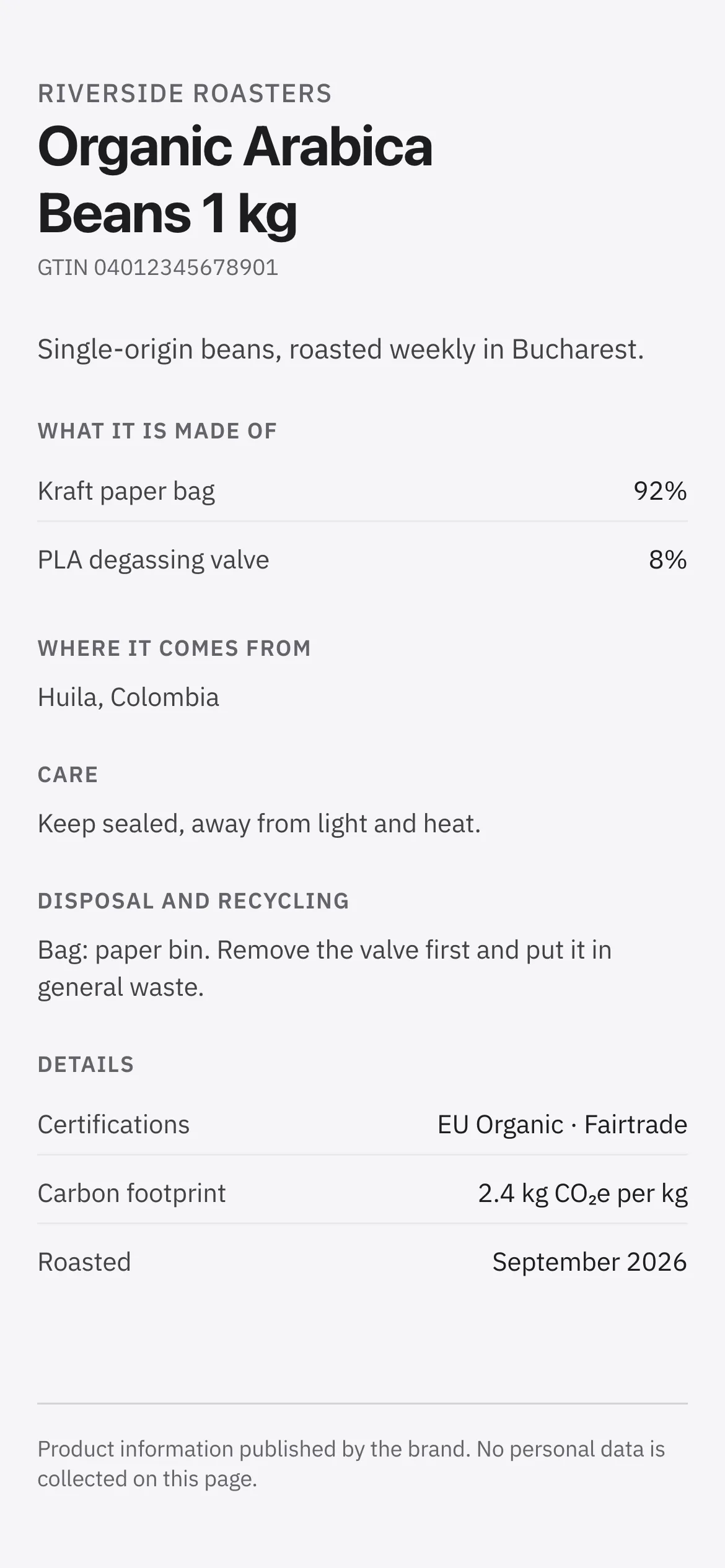
Materials, origin, care and recycling behind a GS1 Digital Link code.
Every form, card and page lands in one inbox with owners, follow-ups and automations that tag, assign and notify.
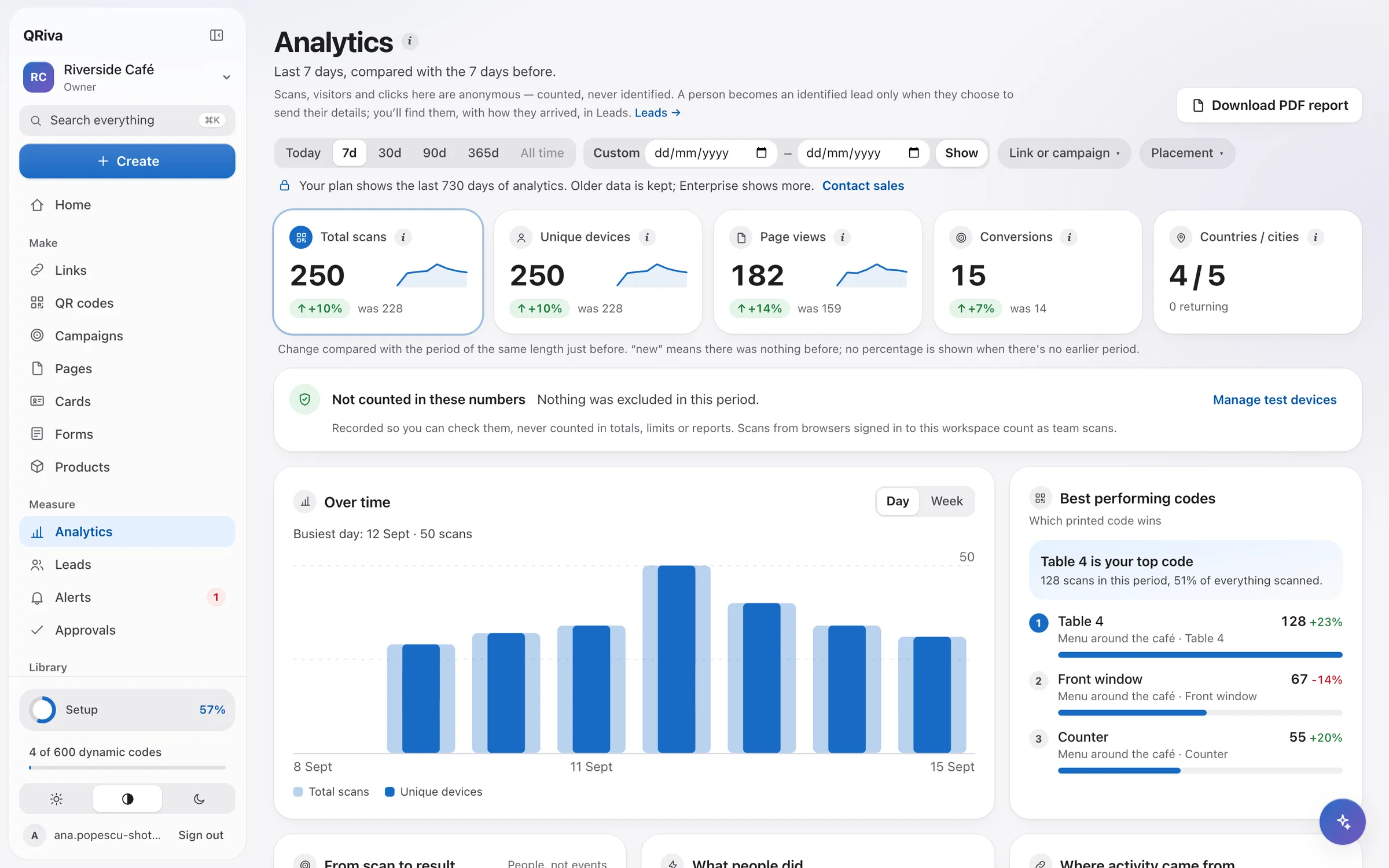
Scans, visits, leads and conversions per placement, with bots and your own test scans left out.

How it works
From idea to printed code in minutes.
Start from a goal
Pick “Take bookings”, “Share my contact” or “Capture leads at an event”. QRiva sets up the page, form, code and link together, using your business details and brand kit.
Print or share
Download print files with a size guide, or share the short link. Every code is decoded before you download it, so what you print scans.
See what worked
Follow each placement from scan to page to lead. Change the destination whenever you like — the printed code stays the same.
Made for real places
How different businesses use QRiva.
Examples of how a kind of business can put QRiva to work. They describe features that exist today — they are not customer stories.
- Example
Restaurants and cafés
A café puts a code on every table. It opens a menu page with a rating and a booking form, and each table shows up separately in the numbers.
- Example
Retail and products
A roaster prints one GS1 Digital Link code on every bag. It opens a product passport with materials, origin, care and recycling, and a single batch can point to its own notice.
- Example
Events
An organiser runs the “Capture leads at an event” goal: an event page, a lead form, a code for each stand and a results page to share afterwards.
- Example
Agencies
An agency runs each client in its own workspace, reuses templates from a shared library, sends white-labelled reports and hands the workspace over when the project ends.
- Example
Sales teams
A sales team uses a company card template with locked fields. New starters get a card on day one, and when someone leaves, their card forwards to the company page.
Don't see your kind of business?
Tell us what you want to do with QR codes, cards, forms or product pages, and we'll show you how.
Why people stay
Built to be relied on.
A code printed on a menu, a box or a poster has to keep working for years. Everything in QRiva starts from that.
Codes never die
Printed dynamic codes keep resolving on every plan, including Free and after you cancel. A lapsed plan limits creating, never scanning.
Safety screening
Destinations are checked when you create or edit them and again on a schedule, against Google Safe Browsing and open threat feeds. Unsafe ones are blocked and you're told why.
Private by default
The IP addresses of people who scan are never stored. Returning visitors are recognised with a hash that changes every month, and strict privacy mode goes further.
Your data stays in the EU
The database is in Frankfurt and the app's servers run in the same region.
Accessible
The app, published pages and forms pass automated WCAG 2.2 AA checks in light, dark and on phones, and are built for keyboards and screen readers.
Fast where it counts
A scan is a single indexed lookup, and the redirect goes out before the scan is recorded, so nobody waits for our analytics.
Yours to arrange
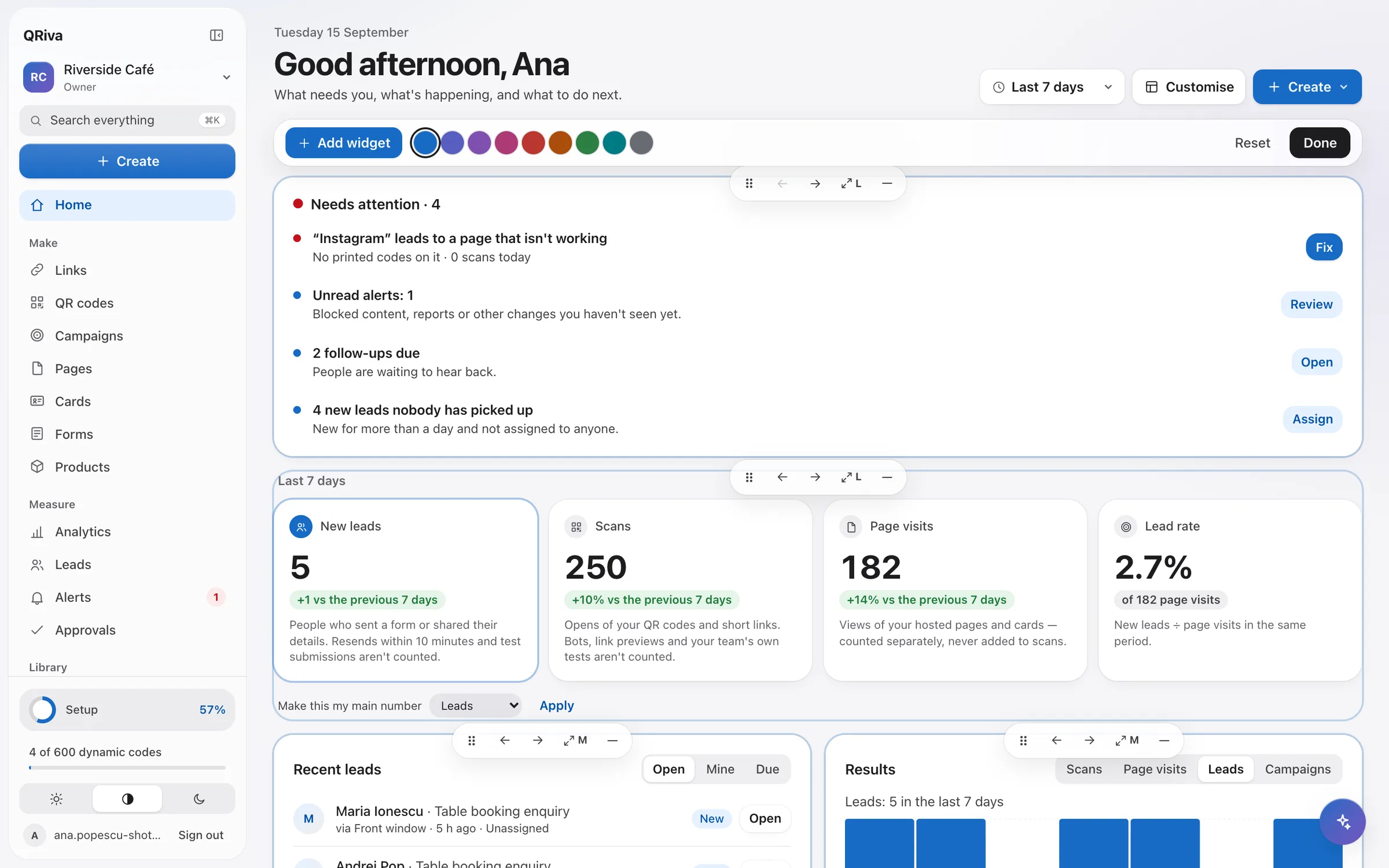
A Home that shows what needs you.
Open QRiva and see what to do next, arranged the way you work.
- Move, resize and add widgets, and pick an accent colour. Your layout follows you to every device.
- “Needs attention” lists broken destinations, due follow-ups and approvals as a list you clear.
- A weekly goal with a streak, and a moment to celebrate your first real scan.
- Live activity while the tab is open, and suggestions drawn only from your own numbers.
- Search everything with ⌘K, and pick up where you left off with starred items.
Integrations
Connects to the tools you already use.
Each connection says honestly how it works: built in, through the API, or with a small script.
- HubSpotBuilt in
- Google SheetsWith a script
- ZapierThrough the API
- MakeThrough the API
- WebhooksBuilt in
- Calendar feedBuilt in
- StripePayments in forms
Early access
Be among the first.
QRiva is new, so you won't find a wall of logos here — we'd rather show you the product itself. Start free today, and help shape what comes next.
- Your feedback is readEarly customers talk to the people building QRiva.
- Codes that outlast plansWhat you print now keeps working, whatever plan you're on later.
- Real helpSupport from people, and a help centre inside the app.
Pricing
Simple plans. Start free.
One price per workspace. Upgrade when you need more codes, pages or people.
Free
€0 / month
For trying QRiva with real codes.
3 dynamic QR codes
Start freeStarter
€3.99 / month
For a small business with a handful of codes.
25 dynamic QR codes
Choose StarterPro
Most popular€9.99 / month
For growing businesses that route, measure and automate.
150 dynamic QR codes
Choose ProCompany
€19.99 / month
For teams, brands and agencies.
600 dynamic QR codes
Choose Company
On every plan, Free included: unlimited scans, printed codes that keep working, safety screening, bot filtering and data stored in the EU.
Compare every planSafe for you, and for the people who scan.
QRiva is designed with GDPR's data-minimisation principle in mind: it keeps what it needs to work, and nothing it doesn't.
- No IP addresses stored for people who scan or visit, and data kept in the EU
- Each workspace's data is isolated in the database, and we test that it stays that way
- Sign in with an e-mail link or a passkey
- Roles and approvals before anything is published
- Destinations screened for threats, and a “Report this page” link on every public page
- Payments processed by Stripe — QRiva never sees card numbers
Questions
Frequently asked questions
Do my printed codes stop working if I stop paying?
What's the difference between a static and a dynamic code?
Do you store my visitors' IP addresses?
Where is my data stored?
Can I use my own domain?
Is QRiva ready for the EU Digital Product Passport?
Can I cancel at any time?
Make your first code in two minutes.
Start on the Free plan. No card, no trial clock — upgrade only when you need more.